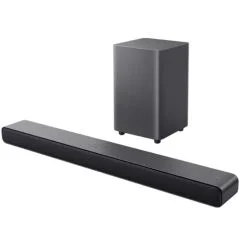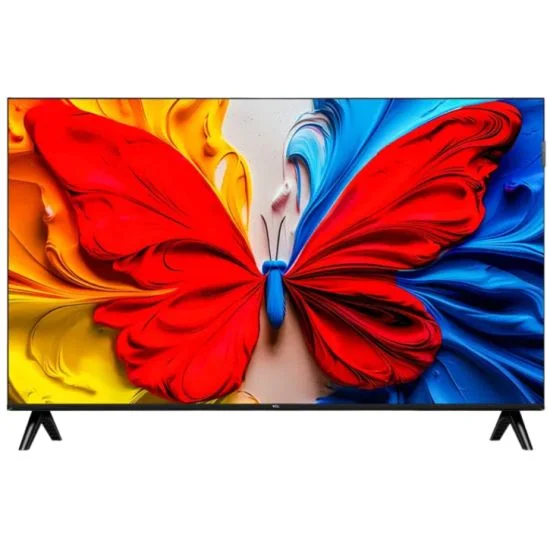

The images are for illustration purposes only *
TCL

TCL 40-inch Smart TV - GOOGLE TV - Full HD QLED - Model TCL 40S5K

Model: 40S5K
Sizes: 40"
Sizes: 40"
Question? Click to be called by a representative
+50,000 Satisfied Customers
Avg. Response Time : Less than 5 minutes
+2,395 reviews
Public Trust Seal
Business Stability Seal

Dimensions & Spec

TCL 40-inch Smart TV - GOOGLE TV - Full HD QLED - Model TCL 40S5K

Features:
QLED screen
GOOGLE TV operating system
Supports 10HDR technology to improve contrast
High-quality sound including support for Dolby Audio technology
Extremely wide viewing angle - up to 178 degrees
Voice control via Google Assistant
Built-in Chromecast technology for screen mirroring from an Android device
Google TV is the best operating system in the world
Allows you to download countless apps, including +yes, Hot, NEXT TV, Cellcom TV, Partner TV, and watch them without an additional remote control or set-top box.

Technical specifications:

Display
Resolution: FHD
Panel resolution: 1920×1080
Aspect ratio: 16:9
Refresh rate (Hz): 60Hz
HLG: Yes
HDR 10+: Yes
Contrast ratio: 5000:1 (typical)

Screen
Flat/convex: Flat
Screen type: LED
Technology type: FHD QLED TV
Panel type: VA

Audio
Audio power: 2x8w
Dolby Audio: Yes
Audio channels: 2.0CH

Connectivity
• Wi-Fi 4
• Two-way Bluetooth 5.0 connectivity for connecting headphones or other external listening devices
• 2 HDMI inputs
• RJ45 network input
• Option to connect a mouse, keyboard and additional accessories, without an external computer
• Built-in 2T/T-DVB tuner that allows reception of Idan+ channels by connecting a suitable antenna (Not included)
• USB 2.0 connection with media player for videos, photos or music
• Video camera connection for conference calls
Supported formats
Audio - MP3, AC4, WMA
Images - JPEG, BMP, PNG, GIF
Video - H.265, H.264, MPEG/1/2/4, AV1, VC1, VP8, VP9

Dimensions

Dimensions
• VESA wall mount (mm): 100×100
• Dimensions with stand (W×D×H): 892×184×558 mm
• Dimensions without stand (W×D×H): 892×77×507 mm
• Stand (base) dimensions (W×D): 825×184 mm
• Packaging dimensions (W×D×H): 1025×122×605 mm

Weight
• Weight Net with stand: 4.63 kg
• Net weight without stand: 4.58 kg
• Gross weight with packaging: 6.43 kg

You must contact the importer to activate the warranty according to the date of purchase

50.7Height (cm)
7.7depth (cm)
Brand
TCL
Resolution
Full HD
Smart Tv
Yes
Height (cm)
50.7
Reference
40S5K
depth (cm)
7.7
Screen Size
40"
Delivery :
9 Business Days
Display Technology
Neo QLED / MRGB / QNED / Mini LED
Product
TV
Number of payments
to x24 without fees
Importer
Official importer

Frequently Asked Questions about TVs

What screen size is right for my living room?
To choose the right TV size for your living room, the most important factor to consider is the distance between your seating area and the screen.


With today's 4K TVs, you can sit closer to the screen while still enjoying a sharp, high-quality picture.


Here are some general recommendations based on viewing distance:

- Up to 2 meters: 43–50-inch TV.

- 2–3 meters: 55–65-inch TV.

- Over 3 meters: 75-inch TV or larger.

Keep in mind that these are general guidelines, and your personal viewing preferences should also be considered.


Can't decide between two sizes? Zabilo's team of experts will be happy to help you choose the perfect TV for your living room and the viewing experience you're looking for.

Which apps are available on Smart TVs?
Most Smart TVs offer a wide range of apps for watching movies, TV shows, and live broadcasts.


Popular apps include Netflix, YouTube, Disney+, and Prime Video, as well as apps from Israeli TV providers such as yes+, HOT, Partner TV, Cellcom TV, and Kan 11.


Some apps come pre-installed on the TV, while others can be downloaded from the app store.


It's important to know that app availability varies depending on the TV brand, operating system, and model.


Is there a particular app that's important to you? Zabilo's team of experts will be happy to help you choose a TV that supports your favorite apps and streaming services.

Do I need an external set-top box to watch content on a Smart TV?
In most cases, no. Smart TVs allow you to watch channels and content directly over the internet, without the need for an external set-top box or an additional remote control.


If you have a subscription to a TV provider such as yes or HOT, you can use its app directly on your Smart TV, provided that your TV model supports the app and your subscription allows streaming through it.


Prefer watching through a specific TV provider? Zabilo's team of experts will be happy to help you choose a TV that supports your preferred streaming services.

Is it possible to install a TV on a drywall (plasterboard)?
Yes, in most cases, a TV can be mounted on a drywall (plasterboard) wall using a suitable wall mount and fixings designed for the wall structure and the weight of the TV.


For particularly large or heavy TVs, additional reinforcement of the framework behind the drywall may be required to ensure a stable and secure installation.


We recommend using a professional installer who can assess the wall's strength, select the appropriate fixings, and carry out the installation safely.


Not sure which wall mount is suitable for your TV? Zabilo's team of experts will be happy to help you at 03-6044011.

Is it possible to connect Bluetooth headphones?
Yes, most modern Smart TVs allow easy connection to wireless headphones. This is an excellent solution for late-night viewing without disturbing the rest of the household.
What is a refresh rate (Hz) and why is it important?
The refresh rate (Hz) indicates how many times the screen updates the image per second. The higher the refresh rate, the smoother the motion can appear, helping to reduce blur in fast-moving scenes.


What's the difference between 60Hz and 120Hz?


- 60Hz: Suitable for most everyday uses, including watching movies, TV series, and television programs.


- 120Hz: Especially suitable for gaming enthusiasts using consoles such as PlayStation 5 and Xbox, as well as for watching sports and fast-moving content. The higher refresh rate provides smoother motion when viewing compatible content.


Which should you choose?


If you mainly watch movies and TV series, a 60Hz TV may be perfectly suitable for your needs. If you frequently play video games or want a smoother viewing experience during fast-moving scenes, it's worth considering a 120Hz TV.

Do I need to add a soundbar?
A soundbar can significantly enhance your viewing experience by delivering richer, more powerful sound, clearer dialogue, and a more immersive, cinema-like atmosphere.


Today's TVs are incredibly slim, which means that the built-in speakers on some models may be limited in terms of sound quality and volume.


What should you consider?


- Living room size and viewing distance: In larger spaces, a soundbar can significantly improve the audio experience.


- Speaker power: A 20W output is considered relatively basic, while 40W offers higher power output.


- Audio system quality: Some TVs feature advanced speakers positioned in different areas of the screen, providing an enhanced sound experience. That's why it's important to consider the overall audio system quality, not just the power output.


It's important to remember that a soundbar is not essential. The right choice depends on your needs and viewing habits.


Want to upgrade your viewing experience? Zabilo's team of experts will be happy to help you choose a soundbar that suits your TV, living room, and budget.

What is HDR on a TV, and does it really improve picture quality?
Yes, HDR technology can significantly improve picture quality, providing a richer, more detailed, and more realistic viewing experience.


HDR (High Dynamic Range) is a technology that allows TVs to display a wider range of brightness levels, colors, and contrast. This makes it possible to see more details in both dark and very bright areas of the same image.


For example, in a dark scene, you can notice details that would normally be lost in the shadows while still enjoying bright areas without losing their details.


Important to know: The level of improvement depends on the quality of the TV screen and the content you're watching. To fully enjoy the benefits of HDR, it's recommended to watch content that supports this technology.

What is Dolby Vision and is it necessary?
Dolby Vision is an advanced HDR standard that enhances picture quality by precisely adjusting brightness, colors, and contrast for each scene, and sometimes even for each individual frame.


This technology delivers a richer, more realistic picture, with clear details in both dark and bright areas.


Popular streaming services such as Netflix and Disney+ offer content that supports Dolby Vision, making it a significant advantage for movie and TV series enthusiasts looking for an exceptional viewing experience.


Is it essential? Not necessarily. Other high-quality HDR standards are also available, and picture quality largely depends on the capabilities of the TV screen itself. Dolby Vision is a valuable feature worth considering, but it shouldn't necessarily be the main factor when choosing a TV.

What is the difference between Dolby Atmos and regular sound?
Dolby Atmos is a three-dimensional audio technology that makes sounds seem as if they are coming from all directions, including from above, rather than just from the speakers in front of you.


For example, in a scene where a helicopter flies over the characters, you can feel as though the sound is moving above your head. This creates a richer, more immersive audio experience that resembles watching a movie in a cinema.


How can you enjoy this technology? To get the most out of Dolby Atmos, it's recommended to watch content that supports the format and use a compatible audio system. Adding a Dolby Atmos-compatible soundbar can significantly enhance your audio experience and bring a more cinematic atmosphere into your home.

What is Filmmaker Mode?
Filmmaker Mode is a picture mode designed to display movies and TV series as their creators intended, providing a viewing experience closer to that of a cinema.


When activated, the TV disables certain picture processing features, such as motion smoothing and artificial sharpening, while preserving the original colors, motion characteristics, and aspect ratio of the movie.


This allows you to enjoy a more natural and authentic picture, without automatic adjustments that alter the cinematic look.


Filmmaker Mode is especially suitable for movie and TV series enthusiasts who prefer to watch content exactly as its creators intended.

What is the difference between HDR10, Dolby Vision, and HDR10+?
All three are HDR standards designed to improve picture quality by displaying a wider range of brightness, colors, and contrast. The main difference lies in how the picture is adjusted to the content.


- HDR10: A basic and widely used HDR standard that applies fixed picture settings throughout a movie or TV show.


- HDR10+ and Dolby Vision: More advanced standards that dynamically adjust brightness and contrast for each scene, and sometimes even for each individual frame. This helps preserve more details in both bright and dark areas, delivering a more accurate and realistic picture.


Dolby Vision is commonly supported by many LG and Sony TV models, while HDR10+ is widely used in Samsung TVs. Support varies depending on the model.


Important to know: Even a TV with standard HDR10 can deliver excellent picture quality. The final result depends on the quality of the screen itself and the content you're watching, not just the HDR standard.

Customer reviews

TCL 43-inch Smart TV - GOOGLE TV - QLED - Model TCL 43S5K TCL
TCL 40-inch Smart TV - GOOGLE TV - Full HD QLED - Model TCL 40S5KModel: 40S5K
Contact Us